
macOS & Windows · Troubleshooting
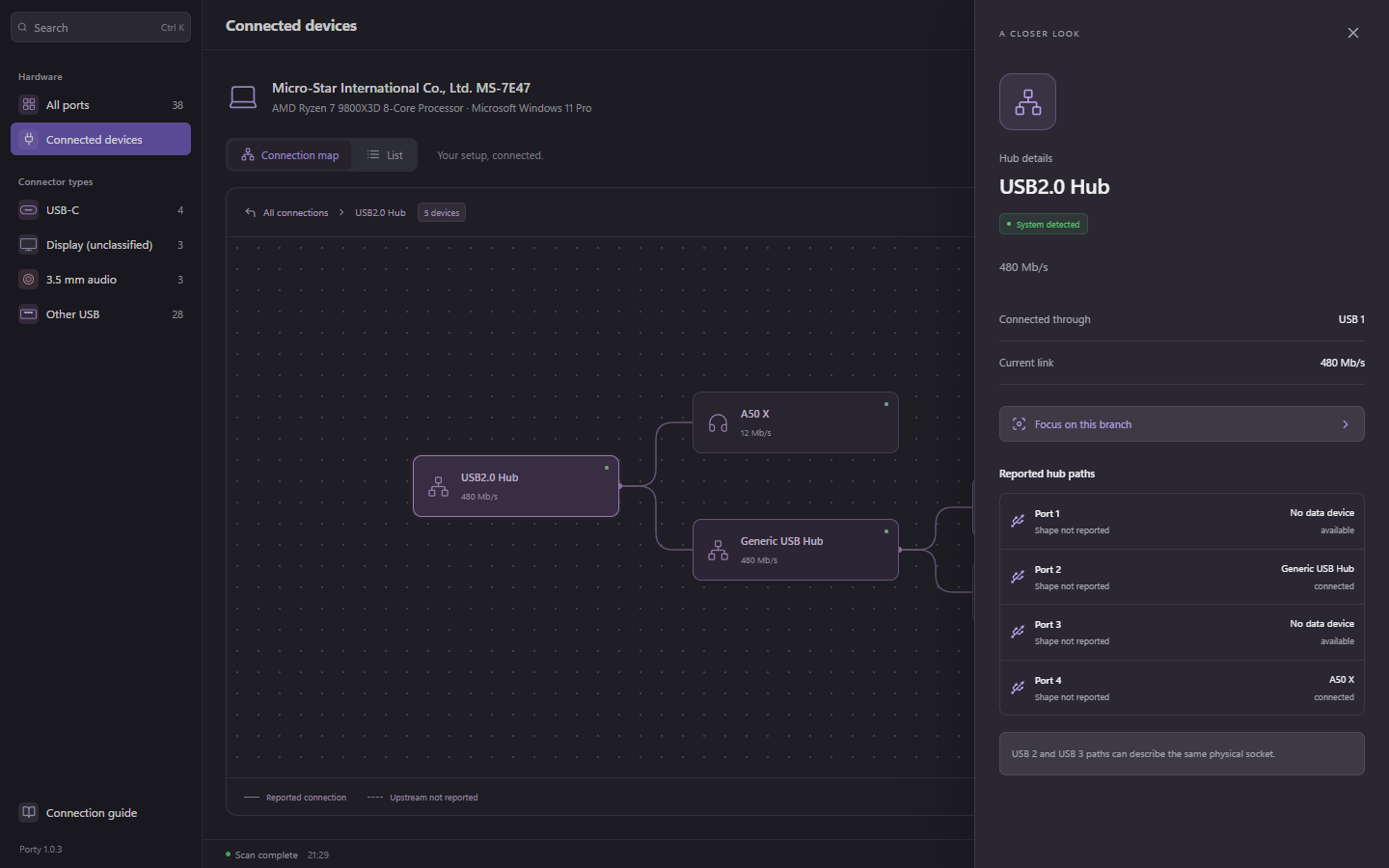
Why does a USB 3 hub show 480 Mb/s?
480 Mb/s is the USB 2.0 high-speed rate. Seeing it on one hub entry does not, by itself, prove that every port on your USB 3 dock is limited to that speed.
First, check which node has the reading
A USB 3 hub can expose USB 2 and USB 3 companion branches. A keyboard or another USB 2 accessory can use the slower branch while a compatible device uses a faster one. A generic hub entry is not a complete summary of the dock’s capabilities.
In Porty, select the actual accessory and inspect its current link, then follow its parent hubs. Treat a 480 Mb/s reading on that accessory differently from a reading on a separate hub branch.
Common reasons for a slower link
- The selected device only supports USB 2.0. A faster computer port cannot add a faster protocol to it.
- The cable carries USB 2.0 data. A USB-C connector and a high charging wattage do not establish USB 3 data support.
- The accessory is connected through a USB 2-only port or intermediate hub. Check the specification of the particular downstream port.
- You selected a USB 2 companion branch rather than the faster device’s branch.
- A cable, adapter, or connection problem prevents the expected link. Compare known compatible parts to isolate the change.
Try a controlled comparison
Change one part at a time and write down the result. Swapping the device, cable, and port together makes it difficult to tell which change helped.
- Confirm the accessory itself supports a faster USB data rate using its manufacturer’s specifications.
- Record the current link and parent hub in Porty. A missing reading is not a 480 Mb/s result.
- Eject mounted storage, then connect the accessory directly to a suitable computer port with a known USB 3-capable data cable.
- Refresh the scan and check the same accessory. If it now reports a faster rate, reintroduce the hub and adapters one at a time.
- If it remains at 480 Mb/s, try another documented compatible cable and port. Recheck device settings and manufacturer support information before concluding that the hub is faulty.
A link rate is not a file-copy speed
480 megabits per second is 60 megabytes per second before overhead. Real transfers are lower and depend on the workload. A slow file copy therefore cannot tell you the negotiated link rate on its own.
Porty displays reported links and capabilities; it does not increase bandwidth or run a transfer benchmark. Use the connection map to establish the path, then measure a real workload separately if you need to evaluate performance.