Explore all your
hardware connections.On Mac and Windows.

See your devices, displays, and network connections in one place. Inspect USB, Thunderbolt, hubs, and docks on Mac and Windows.

macOS & Windows
macOS · Light appearance
USB
Thunderbolt
HDMI & DisplayPort
Ethernet
Hubs & docks

Ports, devices, and connections.

Check device links, display modes, and network status across your connected hardware.

Connection map

View connected devices, zoom, and focus on individual hub branches.
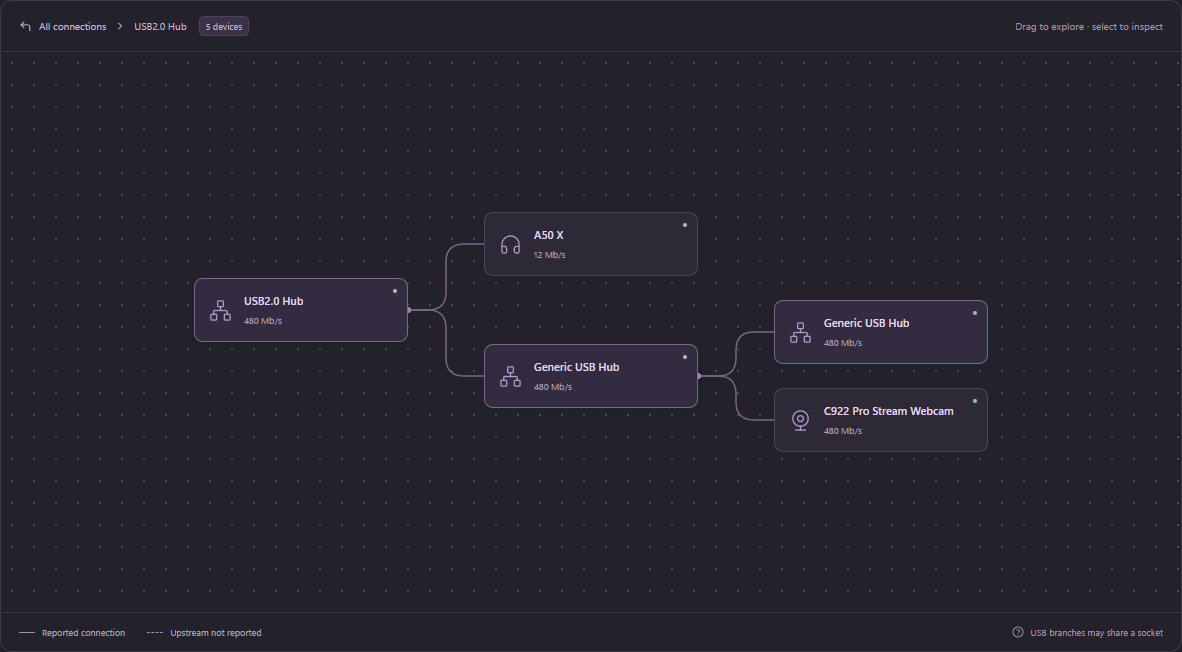
A real USB2.0 Hub branch in Porty, connecting the A50 X and C922 webcam through downstream hubs.

Device details

Inspect link speeds, display modes, and network status.
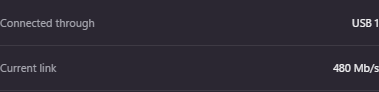
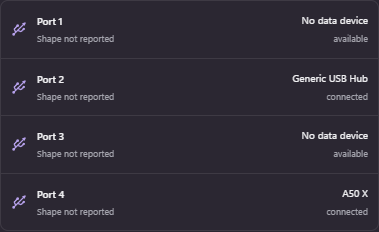
Actual Porty readings: connected through USB 1, current link 480 Mb/s.The four actual reported hub paths, including the Generic USB Hub and A50 X.

Runs locally.

Hardware scans stay on your computer.

Local hardware scansNo account requiredNo remote telemetry
Understand your setup

A little less guesswork.

All hardware guides

Frequently asked questions

What exactly does Porty do?
Porty brings your computer’s hardware connections into one view. Inspect USB and Thunderbolt devices, displays, and network adapters, then follow connected devices through hubs and docks.
Does it work with my computer?
Porty is built for macOS and Windows. Both platforms use live hardware detection. Selected MacBook Pro models also have verified built-in connector profiles. The detail available depends on your computer, operating system, and connected hardware.
Can it tell me everything about every port?
Some details simply aren’t exposed by the operating system. Porty leaves missing readings unreported instead of guessing. USB-C shape alone does not prove Thunderbolt, charging, or video support. Exact cable ratings and display-to-dock routes may also be unavailable.
Is my hardware information private?
Yes. Hardware scans run locally on your computer. Porty has no account system, remote telemetry, or uploaded crash reporting. Raw hardware serials and machine identifiers are excluded from scan reports.
Will Porty change my devices or drivers?
Porty uses read-only hardware queries. It does not install drivers, reset devices, or change their configuration. Windows hardware probing uses a bundled PowerShell helper and may be limited by managed-device policies.
How do I get the app?
Choose Get Porty to download the current preview for macOS Apple Silicon, macOS Intel, or Windows 64-bit. Mac builds require macOS 12 or later. These previews are unsigned; publisher signing and wider hardware validation are still in progress. Check the download options for the current release and platform requirements.

Get Porty

Get Porty
macOSApple Silicon · Unsigned preview
Download
macOSIntel · Unsigned preview
Download
Windows64-bit PC · Unsigned preview
Download

Requires macOS 12 or later. Mac previews are not Developer ID signed or notarized; macOS may require approval in Privacy & Security.

macOSWindows